Cleaning Up 329 Passwords Led Me to a Self-Defense Principle for the AI Era
I’d known for a long time that I needed to deal with duplicate and leaked passwords. It was just too tedious, so I kept looking away. When I finally braced myself and opened Chrome’s password checkup, this is what came back:
- Compromised passwords: 40
- Reused passwords: 132
- Weak passwords: 109
329 in total. A number that makes you dizzy just looking at it. For a second I thought, I should’ve just left it alone. And going through the list, some of these were for services I’d already stopped using, or accounts I’d closed ages ago. So what’s the efficient, safe way to handle this? Here’s a record of the day I spent cleaning this up, and what I thought about along the way.
Don’t fix everything
The conclusion up front: aiming to “fix everything” was the wrong goal. Dutifully fixing all 329 one by one would take days and I’d burn out halfway through. What you actually need to do is cut from the highest risk down.
I didn’t want to misread the numbers here. The only thing that’s dangerous right now is the 40 compromised passwords. The 132 reused and 109 weak ones aren’t something someone can exploit this instant, unless they also overlap with the compromised list. So I started by looking only at the domains behind those 40.
I sorted those 40 into four tiers using this yardstick. At the top: lifelines — your main email, Apple/Google account, mobile carrier — the stuff that, if taken over, becomes the recovery path into everything else. Next: anything involving money — banking, payments, Amazon, utility and phone contracts. Below that: things tied closely to your identity, like major social accounts and work tools. At the bottom: peripheral stuff — one-off e-commerce sites, memberships you no longer use.
The sorting axis was: if this gets taken over, does it cascade into other accounts? Email is the ringleader of that cascade, so it’s always a lifeline, and so on.
Once I actually sorted them, most of the 40 compromised ones turned out to be peripheral. The top two tiers, the ones that actually needed hands-on work, came to just over 10. And as I worked through it, more and more of them turned out to need no action at all. One “Amazon” leak turned out to be an account that didn’t even exist anymore — when I tried to log in, it said “looks like you’re new here.” A zombie credential for an account that was already gone. You can’t hijack something that doesn’t exist. My Sky PerfecTV subscription was long cancelled; my old employer’s Bitbucket and Slack accounts were dead. All of these just needed deleting.
Out of the 40 compromised passwords, the ones that actually required real work came to about 10. Fix those, and 80% of the risk disappears.
Don’t memorize passwords
While cleaning up, I found a few accounts whose registered email address was itself dead — an old custom domain I used to use, which has since expired. That one’s quietly scary. If someone else registers that domain, they can receive the password reset email. Luckily the accounts tied to it were all low-value, so no real damage was done, but it gave me a chill.
Doing this kind of inventory by hand, over and over, isn’t sustainable. Even if I fix everything in Chrome one by one today, I’ll be looking at the same screen again in six months. The root problem is that a human can’t manage this by hand.
So the mindset shift is: passwords aren’t something a human is supposed to memorize. Hand everything to a dedicated password manager and let it generate a unique random value per service. Do that, and “reuse” simply stops happening again. This time, I moved all 329 passwords piled up in Chrome over to a manager, and turned off Chrome’s own password saving.
The passwords you still have to remember
That said, there are a few passwords a human still has to remember no matter what: your PC login password, and the master password for the password manager itself. These can’t go inside the manager — they’re the keys to the manager.
For this small “must-memorize” set, there’s an actual best practice.
First, limit the count. You should only need to remember 2 to 4 of them. Everything else goes behind the manager.
Second, make the ones you do memorize passphrases. Something like P@ssw0rd! — short and full of jumbled symbols — is hard for humans and weak in practice. The right answer is a string of random words. Something in the shape of correct-horse-battery-staple, four to six words. Strength comes from length times randomness, so six words makes brute-forcing essentially impossible. It’s easy to remember and easy to type on a phone. The key point: the words can’t be ones you picked yourself. They have to come from dice or a random generator.
The master password especially should ideally be generated with physical dice. It’s the one secret you never want to touch a device at all, since it’s your single most critical credential — so you want a method that stays safe even if your device is already compromised. Once you’ve made it, write it on paper and store it physically, in a safe or a sealed envelope. Never keep it digitally. Since it’s your only recovery path, this is the one place where going analog is the correct move.
That said, I don’t actually use a passphrase myself. I’ve brute-forced my way into memorizing whatever random string the generator spat out, on the logic that if you type it every day, your hands eventually learn it. I’d recommend a passphrase as best practice, but my fingers have already memorized a string full of symbols. At this point I don’t have the energy to switch.
Why do leaks happen in the first place
So why do passwords leak at all?
All 40 of mine came from “data breaches” — meaning some service’s database got exposed. That’s not something I can prevent; it comes down to whether the service itself gets breached. What happens to your password after that depends on how it was stored. Stored in plaintext, it’s just sitting there in the open. Stored with a weak hash (like MD5), common passwords get cracked almost instantly — MD5 is fast to compute and is often used without a salt, so matching against dictionaries or reused-password lists is dramatically faster. A strong hash with a salt makes it much harder, but even then, a weak password can still be cracked. In the end, whether it gets cracked comes down to how strong the password itself was.
And the real damage happens after that. Once one database leaks, attackers take that email-and-password pair and try it against every other site they can. If you reused it, the compromise cascades. This is what’s called credential stuffing. It’s not the leak itself that causes the real damage — it’s this chain reaction. Which is exactly why unique passwords matter: if one leaks, it doesn’t spread anywhere else.
And leaks aren’t limited to breaches. There’s phishing, where you type your password into a fake site yourself, and malware (infostealers) that reach into your PC and vacuum up every password saved in your browser. The latter has gotten nasty in recent years, and it’s one more reason not to store passwords in the browser.
To sum up: you can’t stop leaks from happening. What you can stop is the chain reaction. Unique passwords, 2FA, and passkeys where possible mean that even if one account leaks, the damage doesn’t spread. In fact, even with 40 accounts compromised this time, my main email already had 2FA on it, which meant the cascade was already blocked at the source.
And while I’m at it — those unreasonable password rules
While doing this inventory, I kept running into rules like “this symbol isn’t allowed” or “maximum 16 characters.” What’s that actually about?
Mostly, it’s not about security at all — it’s a sign the backend was built old and sloppy.
A properly built site hashes passwords before storing them. A hash produces a fixed-length output no matter how long the input is. So a “maximum 16 characters” limit doesn’t make logical sense. If there’s a length cap at all, it’s a hint they might be storing it in plaintext or in a fixed-length column. Banning symbols is often the same kind of amateur move — a misguided attempt to prevent SQL injection. The actual fix for that is parameterized queries plus hashing, not banning characters — so the moment a site bans certain characters, you know their defense is aimed at the wrong target.
The old rule of “you must include uppercase, a number, and a symbol” is also outdated by now. It’s a holdover from guidelines that predate 2017, and the current NIST SP 800-63B reversed course entirely: don’t impose composition rules, stop forcing periodic changes, allow long passphrases, and instead screen against known-breached password lists to catch weak ones. Composition rules just trained humans to produce Password1! over and over — which made things weaker, not stronger.
Bottom line: those restrictive rules are basically a hint that “this site might be handling passwords carelessely.” If you spot one, that’s exactly the site to give a unique password to.
If you want to dig deeper into this newer thinking, Is That Password Policy Outdated? Understanding Modern Authentication Through NIST SP 800-63B (LAC, in Japanese) lays it out well. Worth a read.
The same problem exists outside of passwords too
Technically, cleaning up passwords mostly comes down to uniqueness plus 2FA. But after spending a day on it, I noticed I kept doing the same thing over and over. Unique passwords, 2FA, passkeys — push far enough, and they all converge on one point: don’t trust what’s put in front of you at face value. Assume passwords will leak, so keep them separate per site, and hand identity verification to a second factor rather than the password alone. In other words, you’re shifting where you place trust away from whatever you can currently see.
This idea holds up just as well outside of passwords — arguably it matters even more there. Starting with email.
Phishing emails push urgency: “you need to do X right now.” You’d think a spoofed sender address would be hard to catch, and you’d be right — spoofing just the display name is trivially easy. The From field can say “Amazon Customer Service” while the actual address is something else entirely. Mobile mail apps often show only the display name, which is exactly where people get caught.
Spoofing a domain outright is actually hard these days. Receiving servers verify with SPF, DKIM, and DMARC, and major providers enforce these strictly. So attackers fall back on lookalike domains instead — paypa1.com (an L swapped for a 1), or subdomain tricks like amazon.co.jp.verify-login.com. These are the attacker’s own legitimate domains, so they pass verification. They pass — but the content underneath is fake.
Expecting a human to catch this every single time isn’t realistic. So I stopped trying to win the game of spotting fake senders. Don’t click links — go to the site yourself, from a bookmark or through the password manager. A passkey is bound to a specific domain, so it simply won’t respond on a fake site. A password manager only offers up a saved login on the legitimate domain, so if you’re staring at what looks like a login page and the manager stays silent, that silence itself is the alarm that you’re on a fake site.
Don’t trust the voice either
And this is where AI enters the picture.
AI has erased all the old tells — “the Japanese is a bit off,” “something about this feels suspicious.” Perfect grammar, a voice indistinguishable from the real person, fake video calls. Scanning for typos doesn’t work as a defense anymore. A voice can be cloned from just a few seconds of audio, and it’s only going to get harder to tell apart from the real thing.
So is there anything an ordinary person can actually do? Yes — and it’s free and simple.
The single most effective thing is agreeing on a family passphrase in advance. If you get a call with a voice that sounds exactly like a family member saying “I’ve been in an accident, I need money right now,” you ask: “what’s the password?” No matter how perfect the cloned voice is, it can’t steal a secret that was only ever spoken out loud at your family dinner table.
Here’s the key part: the passphrase isn’t testing “is this voice real.” It’s testing “does this person know the secret.” Which means that even if voice cloning hits 100% accuracy, this defense doesn’t degrade at all — because you’ve moved the battlefield from “can you tell voices apart” to “do you possess this piece of knowledge.”
This is the exact same idea as what I did with passwords. Don’t trust whatever’s presented to you in the moment — a voice, a face, a sender address — and instead verify against a secret you agreed on beforehand, or through a separate channel.
The way you use it matters too, and the rule is the same. You always ask, and let the other person answer — never volunteer it yourself. Don’t say “the passphrase is ’echo,’ right?” — say that, and it’s stolen on the spot. If they can’t answer, hang up and call back on a number you already know is theirs. Pair the passphrase with “hang up and call back,” and even if one layer gets broken, the other still holds.
Pick a passphrase that can’t be guessed. Nothing like a birthday or a pet’s name — anything look-up-able is out. Two unrelated, meaningless words works well. And it’s worth setting this up with your parents before you even do it for yourself — older generations tend to be targeted more than you are. A single sentence like “if you get a strange call, ask for the passphrase — if they can’t answer, hang up” is enough to block most AI voice-cloning scams before they start.
In the end, it was the same principle
After spending a whole day going through 329 passwords, this is where I ended up.
Leaks can’t be stopped. Voices, faces, and sender addresses can all be faked. So you take “what’s shown to you in the moment” out of the decision entirely. Instead, you route the decision through a secret agreed on in advance (a unique password, a passphrase) and a separate channel (2FA, calling back).
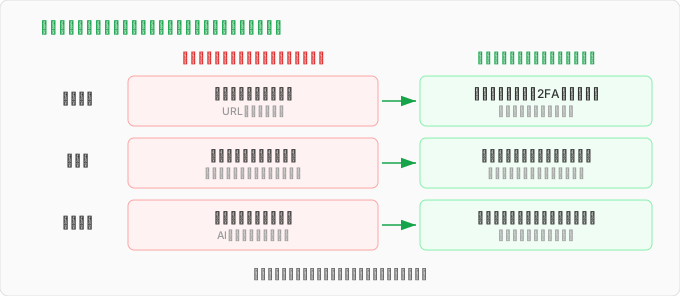
Unique passwords, 2FA, a family passphrase — they’re all the same principle showing up in different clothes. What started as a chore turned into something that sketched out the shape of self-defense for the AI era.
I think the best place to start is agreeing on a family passphrase. No technology, no money required, and it’s the one habit that’s hardest to let slide.
And honestly — a passphrase is an ancient trick, the kind of thing Roman sentries used to challenge strangers in the dark two thousand years ago. And here it is, coming back as the tool that stops the most cutting-edge scams, in an age where even someone’s voice can be perfectly forged. No matter how far the technology advances, the thing that ends up working in the end is two-thousand-year-old wisdom. I find that genuinely fascinating.
comments powered by Disqus